Web pages
News, forums, comments. Point at a word and a card opens beside it. The page itself is never recoloured.
The browser extension
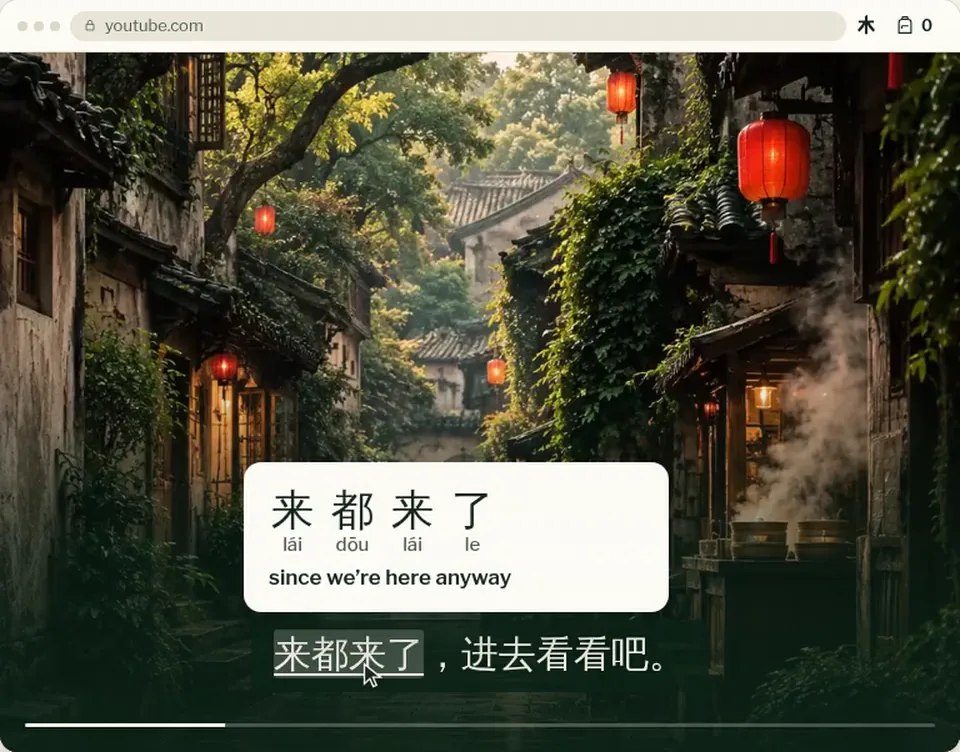
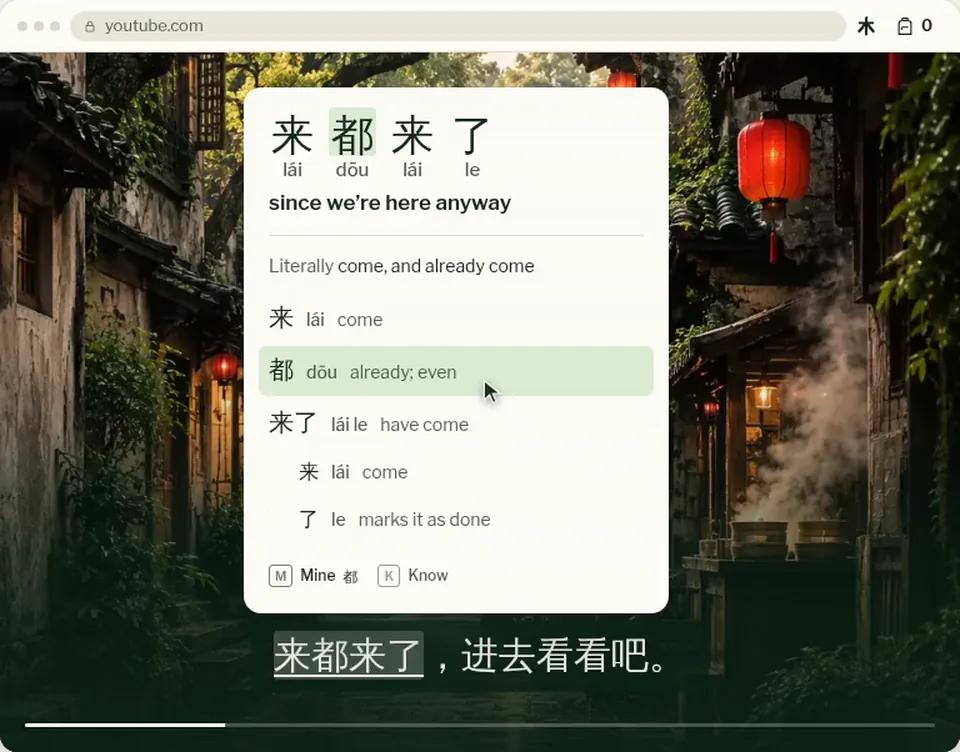
Point at a word on any web page or YouTube subtitle. A card shows what it means in that sentence, how it sounds and what it’s made of.
Desktop Chrome and Edge. Free.
菜市场砍价On youtube.com
老板,太贵了,便宜一点吧。
Your first minute
No setup and no account to look things up. Add it, open any page with Chinese on it, and point.
How it works
News, forums, comments. Point at a word and a card opens beside it. The page itself is never recoloured.
Where a video has Chinese captions, the MTW layer takes their place. Switch back any time. Looking up never pauses the video.
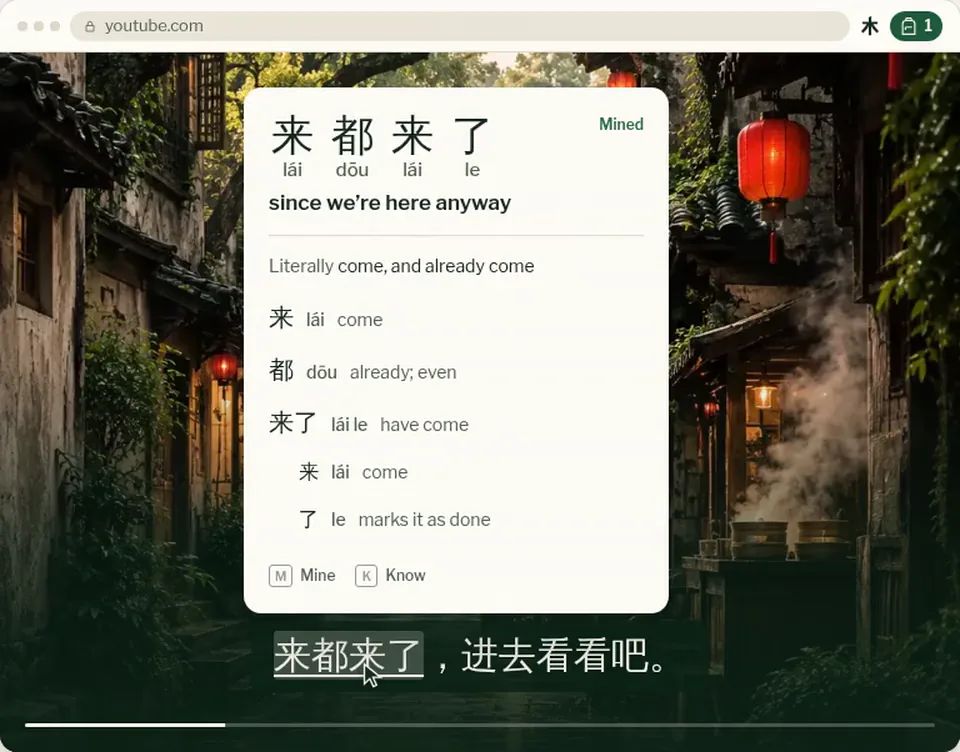
M keeps a word to learn, K marks one you know. Enter pins the card, Esc closes it. Change any key; none fire while you type.
Privacy
Questions
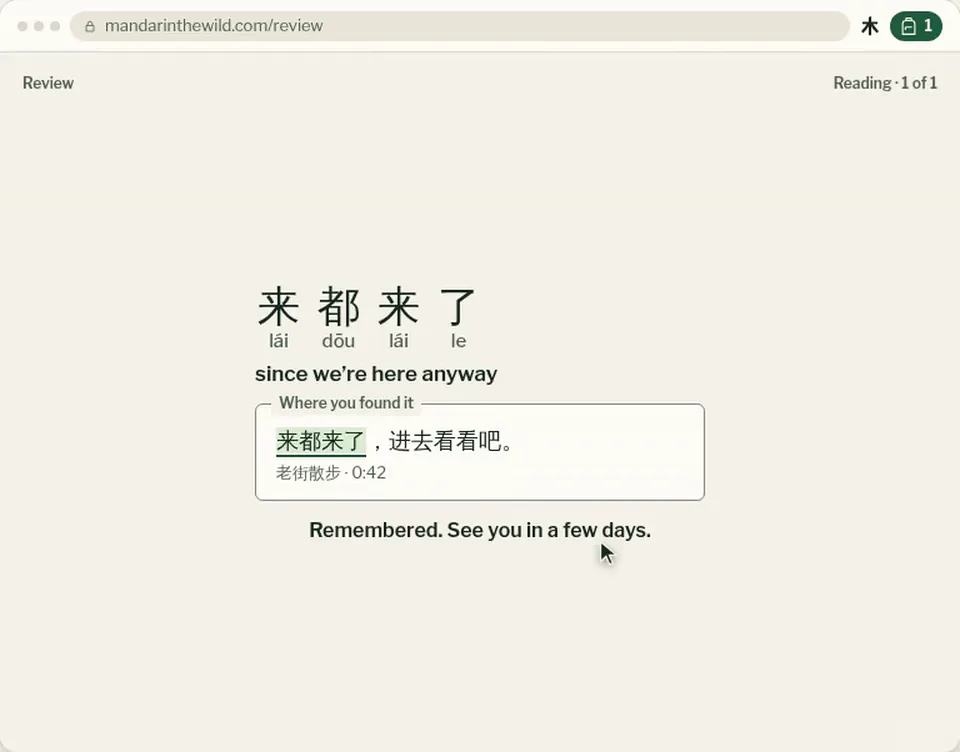
Not to look things up. The card, the parts and the sound all work without one. A free account lets you keep words with M and K, so they’re in your Backpack and Review on any device.
Not yet. The extension is for desktop Chrome and Edge. On a phone, the Library and the web demo work in your browser, and you can keep the setup link for your computer.
Web pages with Chinese text, and YouTube videos that have Chinese captions. It can’t read words inside images. On a video with no captions, a free account lets you make them from its sound.
Not always. The card gives the likeliest meaning in that sentence, and it can be wrong. The pinyin and the parts are there to check it against.
No. It never recolours or underlines a page. Only the word you point at is tinted, and only while you point at it. On YouTube, it reads the captions YouTube already shows, as they appear, and leaves them as they are.
Words you kept with an account stay in your Backpack; removing the extension doesn’t touch them. Settings kept only in this browser, like paused sites while signed out, go with it.